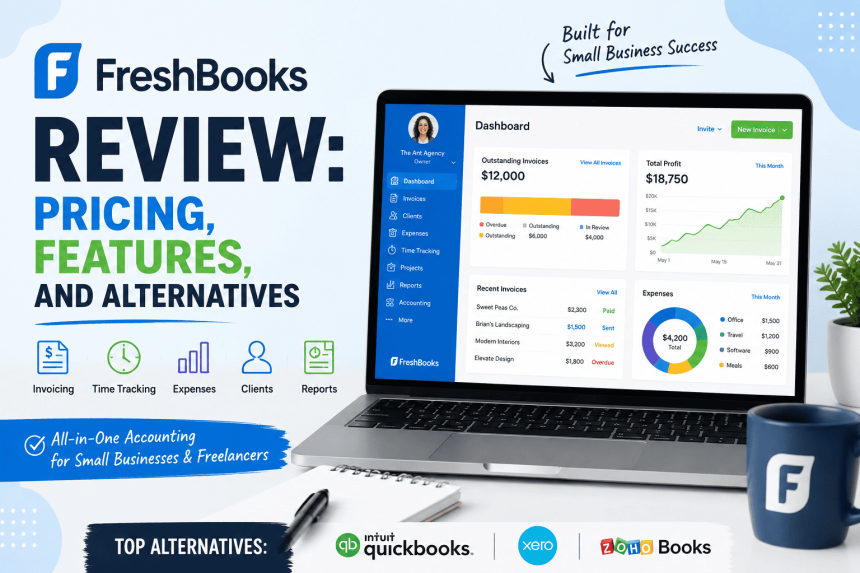
If you’re a freelancer, consultant, or small service-based business owner trying to get a handle on invoicing, expenses, and bookkeeping, chances are FreshBooks has come up in your research. It’s one of the most recognizable names in small-business accounting software, known for its clean interface and invoicing-first approach. But is it actually the right fit for your business, and is it worth the price compared to alternatives like QuickBooks, Xero, or Wave?
This review breaks down exactly what FreshBooks offers, what it costs in 2026, who it’s genuinely built for, and where it falls short — so you can make an informed decision instead of relying on a marketing page.
What Is FreshBooks?
FreshBooks is a cloud-based accounting and invoicing platform built primarily for freelancers, self-employed professionals, and small service businesses. Unlike QuickBooks or Xero, which were built as accounting-first platforms that later added invoicing, FreshBooks was built the other way around: it started as an invoicing tool and grew into a fuller accounting suite over time.
That heritage still shows in how the product feels today. Invoicing, estimates, client management, and time tracking are the most polished parts of the platform. Double-entry accounting, financial reporting, and bookkeeping features exist and have improved significantly in recent years, but they’re less deep than what you’d find in QuickBooks Online or Xero.
FreshBooks is used by consultants, designers, agencies, contractors, photographers, lawyers, and other client-billing businesses that need to send professional invoices, track billable time, manage expenses, and get paid online — without needing a full-blown accounting department.
FreshBooks Pricing in 2026
FreshBooks uses a four-tier pricing structure, with plans differentiated mainly by how many billable clients you can invoice, plus the depth of accounting and customization features available. All figures below reflect standard list pricing as published on FreshBooks’ official pricing page.
Lite — $23/month
The entry-level plan is built for freelancers and solo operators with a small client roster.
- Send invoices to up to 5 billable clients
- Unlimited invoices, estimates, and time tracking
- Real-time expense tracking and mobile mileage tracking
- Accept online payments (credit/debit cards, ACH bank transfer, Apple Pay, Google Pay, and Buy Now Pay Later options)
- Automated late payment reminders and scheduled late fees
- Tax-time reports and basic business health dashboards
The 5-client cap is the plan’s biggest limitation. Even freelancers with a modest client list often outgrow it within months, especially if archived clients still count toward the limit (they do).
Plus — $43/month
FreshBooks’ most popular tier, aimed at small businesses that have outgrown solo-freelancer invoicing needs.
- Send invoices to up to 50 billable clients
- Everything in Lite, plus:
- Double-entry accounting reports and bank reconciliation
- Automatic expense receipt data capture (scan a receipt, and FreshBooks fills in the details)
- Client retainers, proposals, and e-signatures
- Accountant access, so your bookkeeper or CPA can log in directly
- Run detailed financial and accounting reports
For most small service businesses — consultants, agencies, small studios — this is the plan that makes sense. It adds real accounting depth without jumping to enterprise-level pricing.
Premium — $70/month
Designed for more established businesses with larger client bases and more complex billing needs.
- Unlimited billable clients
- Everything in Plus, plus:
- Bill receipt scanning with itemized line-item capture
- Accounts payable tools for managing what you owe vendors
- Project profitability tracking
- Customized email templates and signatures
If you’ve outgrown the 50-client cap on Plus, or you need to track profitability project-by-project, Premium is where FreshBooks starts to feel like a genuine small-business accounting system rather than just an invoicing tool.
Select — Custom Pricing
FreshBooks’ top tier isn’t self-serve; you have to talk to a sales consultant. It includes everything in Premium plus:
- Lower credit card processing rates and capped ACH transfer fees
- Two team member accounts included at no extra charge
- Dedicated phone support and a dedicated account contact
- Custom onboarding and “Easy Switch” white-glove data migration
- The ability to remove FreshBooks branding from client-facing emails
- Advanced Payments included at no additional cost
Select pricing is negotiated based on transaction volume, team size, and processing needs. Businesses that process high payment volumes ($100K+ per month in card payments) often find the lower processing rates alone justify the custom pricing, since standard card fees add up fast at scale.
Add-Ons That Apply Across All Plans
FreshBooks’ sticker price doesn’t tell the whole story. Several common needs cost extra on every plan except Select:
- Team Members: $11/month per additional user. Every FreshBooks plan is single-user by default, so if you have a bookkeeper, assistant, or employees who need login access, this adds up quickly.
- Advanced Payments: $20/month. This unlocks a virtual terminal for charging cards manually, storing client card details securely, and processing in-person or phone payments.
- FreshBooks Payroll (powered by Gusto): $40/month plus $6/month per employee. This handles payroll runs, tax filing, and compliance for U.S. businesses with employees or contractors.
Payment Processing Fees
On top of subscription and add-on costs, FreshBooks charges standard payment processing fees for online payments:
- 2.9% + $0.30 per transaction for Visa/Mastercard/Discover
- 3.5% + $0.30 per transaction for American Express
- 1% for ACH bank transfers
- Additional surcharges (roughly 1.5%) apply for international cards and instant payouts
These fees are in line with industry norms (similar to Stripe or Square), but they’re worth factoring into your real monthly cost, especially if you process a high volume of card payments.
Discounts and Trial
FreshBooks regularly runs promotional pricing — commonly a steep percentage off for the first several months on Lite, Plus, and Premium — plus a standard 10% discount for paying annually instead of monthly. All paid plans come with a 30-day free trial that requires no credit card, and FreshBooks backs new subscriptions with a 30-day money-back guarantee. Just be aware that promotional rates expire and revert to full list price, so budget for the standard monthly cost, not the intro rate.
Key FreshBooks Features
Invoicing
This is FreshBooks’ strongest area. You can create fully customized, branded invoices, automate recurring billing, schedule late fees, and send automated payment reminders. Clients can pay directly from the invoice using cards, ACH, digital wallets, or Buy Now Pay Later options, which tends to speed up collection compared to mailing a PDF and waiting for a check.
Expense Tracking
FreshBooks connects to your bank and credit card accounts to automatically import transactions, and its receipt-scanning tools (available from the Plus plan up) let you snap a photo of a receipt and have the details captured automatically. This is genuinely useful for anyone who has ever tried to reconstruct a shoebox of receipts come tax season.
Time Tracking and Projects
Built-in time tracking lets you log billable hours against specific clients or projects, then convert those hours directly into an invoice. Project management tools (Plus and above) let you set budgets, collaborate with team members or clients, and — on Premium — see actual project profitability.
Accounting and Reporting
Double-entry accounting, bank reconciliation, and accountant access arrive at the Plus tier. Reports include profit and loss, balance sheets, and tax-time summaries. It’s enough for most small businesses to stay organized and hand clean books to an accountant at tax time, but it’s not as deep or customizable as QuickBooks Online’s reporting suite.
Client Management
Every plan includes client profiles, account statements, and a client portal where customers can view invoices, make payments, and see their payment history. This creates a more professional, self-service experience for clients compared to emailing invoices back and forth.
Mobile App
FreshBooks’ mobile apps (iOS and Android) let you send invoices, track mileage, log expenses, and check your dashboard from your phone. Reviewers consistently point to the mobile app as one of the platform’s stronger features, particularly for tracking mileage and photographing receipts on the go.
What Users Like About FreshBooks
Across independent review platforms, a few themes come up repeatedly:
- Ease of use. FreshBooks is widely regarded as one of the more intuitive accounting tools on the market, especially for people without a bookkeeping background.
- Invoicing quality. Clean, customizable, professional-looking invoices with automated reminders are a consistent strength.
- Customer support. FreshBooks has a reputation for responsive, helpful support, which matters a lot for non-accountants who occasionally get stuck.
- Mobile experience. The app is functional enough to run basic invoicing and expense tracking entirely from a phone.
Common Complaints About FreshBooks
No tool is perfect, and FreshBooks has recurring criticisms worth knowing before you commit:
- The client-cap pricing model. Because plans are priced by number of billable clients rather than features or usage, businesses that grow past 5 or 50 clients get pushed into a pricier tier even if they don’t need the extra features that come with it.
- Single-user plans by default. Needing to pay $11/month per additional team member on every plan (including Premium) adds up for small teams.
- Payment processing costs. Some users feel the card processing rate, particularly for the virtual terminal and Amex transactions, runs higher than they’d like relative to competitors.
- Limited accounting depth. For businesses with more complex needs — multi-currency operations, inventory management, or advanced job costing — FreshBooks can start to feel thin compared to QuickBooks Online or Xero.
- Price increases over time. Some long-term users have reported their plan cost creeping up over the years without a corresponding jump in included features.
FreshBooks Alternatives
FreshBooks isn’t the only option, and depending on your business type, one of these alternatives might genuinely serve you better.
QuickBooks Online
QuickBooks is the market leader in the U.S. small-business accounting space, and for good reason: it offers the deepest accounting functionality, the widest network of accountants who already know how to use it, and strong inventory and multi-user support on its higher tiers. Its plans range from an entry-level Solopreneur tier for simple income/expense tracking up through an Advanced tier built for larger teams, with everything in between covering invoicing, bill management, time tracking, and multi-currency support. It also tends to run notably more expensive than FreshBooks at comparable tiers, and payroll is billed separately and can significantly increase your total cost. Choose QuickBooks if: you need the deepest accounting and reporting capabilities, plan to work closely with a CPA, or expect to scale into inventory and multi-user complexity.
Xero
Xero is a strong alternative for businesses that need solid accounting fundamentals, multi-currency support, and unlimited users on every plan (a notable advantage over FreshBooks’ per-user add-on fee). Its entry-level plan does cap the number of invoices and bills you can send each month, which can be limiting for invoicing-heavy freelancers, but its mid-tier and top-tier plans remove that cap and add project tracking and expense claims. Choose Xero if: multi-currency invoicing matters to you, you want unlimited team members without extra fees, or you’re working with international clients and vendors.
Wave
Wave offers genuinely free core accounting and invoicing, making it one of the only real free options in this space. You only pay for payment processing fees and an optional Pro plan that unlocks automatic bank imports and recurring invoices. It lacks project management, time tracking, multi-currency, and the automation depth of FreshBooks or QuickBooks, but for a solo freelancer or very early-stage business watching every dollar, it’s hard to beat on price. Choose Wave if: you’re a solo freelancer or microbusiness with simple invoicing needs and want to minimize software costs.
Zoho Books
Zoho Books is a strong, budget-friendly option, particularly if you’re already using other Zoho products (CRM, email, etc.) as part of a broader business toolkit. It offers solid automation, multi-currency support, and inventory tracking at price points generally lower than QuickBooks. It has a smaller learning curve advantage than FreshBooks for total beginners, but it’s a capable, well-rounded platform worth a look if you want more accounting depth without QuickBooks’ price tag.
Bill.com
For businesses primarily focused on accounts payable and receivable at scale — rather than client-facing invoicing and time tracking — Bill.com specializes in bill payment workflows, approval chains, and vendor management. It’s less of a direct FreshBooks competitor and more of a complement for businesses with heavier AP/AR needs.
Who Should Choose FreshBooks?
FreshBooks makes the most sense for:
- Freelancers and solo consultants who bill a manageable number of clients and want simple, professional invoicing without a steep learning curve
- Service-based small businesses — agencies, design studios, law firms, marketing consultants — that need to track billable time and convert it into invoices smoothly
- Non-accountants who want software that doesn’t require bookkeeping knowledge to operate confidently
- Businesses that prioritize client experience, thanks to the polished invoice design, online payment options, and client portal
FreshBooks is a weaker fit for:
- Product-based or inventory-heavy businesses, since inventory management isn’t a core strength
- Businesses needing multi-currency accounting as a primary feature, where Xero has an edge
- Teams needing many user seats, since every additional team member costs extra on every plan
- Businesses that expect rapid client-list growth, where the tiered client caps could force repeated plan upgrades
Final Verdict
FreshBooks remains one of the best-designed, most approachable accounting tools for freelancers and small service businesses in 2026. Its invoicing, time tracking, and expense capture are genuinely strong, and the platform does a good job of making non-accountants feel confident managing their own books. The pricing is competitive at the entry and mid tiers compared to QuickBooks, though the per-client billing model and per-user add-on fees mean your actual monthly cost can climb faster than the headline price suggests.
If your business is squarely in FreshBooks’ sweet spot — service-based, client-billing, freelancer or small team — it’s a smart, well-supported choice. If you need deeper accounting, multi-currency support, inventory tracking, or a larger team without per-seat fees, it’s worth comparing directly against QuickBooks Online, Xero, or Wave before you commit. As with any subscription software, take advantage of the free trial, map out your actual client count and team size against the plan tiers, and calculate your real monthly cost including add-ons and payment processing fees before you buy.
READ ALSO : Best Accounting Software for Freelancers and Solopreneurs (2026 Guide)
READ ALSO : Klaviyo vs Mailchimp: E-Commerce Showdown

Professional Blogger of Technology, Cryptocurrency, Financial Tech, Gadgets, Games, Health, Science, Apps and Software.